
Offset hitting position
12×16
From $2,999.00 USD
Enclosure only
- Impact screen
- 122 × 110 inches
- Inside dimensions
- 10.3ft × 14ft × 9.3ft
YOUR NEXT BIG IDEA STARTS HERE
Bring people together around golf—with an inflatable simulator enclosure for events, a rental business, or your own practice space.
Explore Sizes & Pricing ↓New to simulators? You’re in the right place.
 REAL ENCLOSURES. YOUR OWN SETUP.
FIRST, THE BASICS
An inflatable enclosure creates the space around your golf simulator. The equipment inside brings the game to life.
You hit a real golf ball into an impact screen. A launch monitor measures the shot, simulator software turns it into a virtual golf experience, and a projector displays it on the screen.
Enclosure prices do not include all simulator equipment. Our builder helps you select the pieces you need.
TWO WAYS TO MAKE IT YOURS
THREE SIZES. A CLEAR STARTING POINT.
Start with your space and hitting position. Then choose the equipment and features that make it yours.
Offset hitting position
From $2,999.00 USD
Enclosure only

Center hitting capability
From $4,999.00 USD
Enclosure only
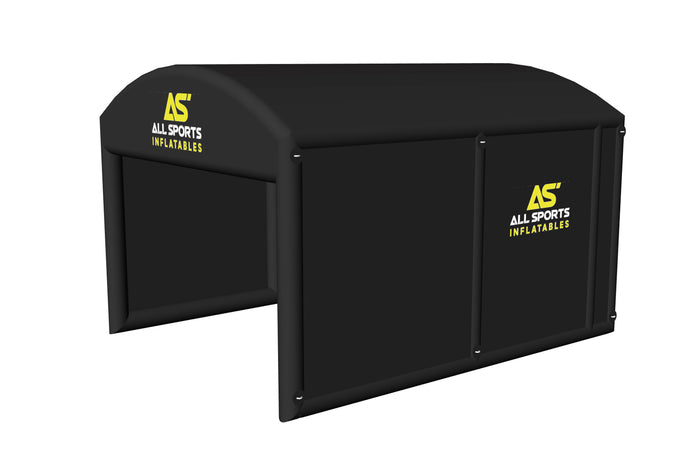
Added viewing space
From $5,999.00 USD
Enclosure only
Inflation pump, impact screen, inside netting, and a forward-positioned screen design.
Dimensions are interior space—not a guarantee of swing clearance. Allow room for the enclosure, your full swing, and the placement requirements of your selected equipment.
LET’S TALK ABOUT COST
A complete system adds equipment to your enclosure. Your total depends on the launch monitor, projector, mat, computer, mounts, and enclosure options you choose.
See Your Build & Price →The builder shows itemized pricing as you choose. Shipping and applicable taxes are calculated at checkout.
NO NEED TO KNOW EVERY COMPONENT
Choose an enclosure, make it yours, and add compatible equipment. Review each item and its price before adding your build to the cart.
Explore options, save or share your build, and ask us for help along the way.
THINKING ABOUT A RENTAL BUSINESS?
Picture a golf experience at private parties, community events, or corporate gatherings. Then look at what it could take to operate in your market.
Use our ROI calculator to explore startup costs, rental pricing, bookings, and expenses using your own assumptions.
Explore the ROI Calculator →Calculator results are estimates, not a promise of bookings, revenue, or profit.
GOOD QUESTIONS TO START WITH
The enclosure is one part of a complete system. A playable setup also needs a launch monitor, projector, hitting mat, compatible software, and any required computer and mounting equipment. The builder lets you choose these separately.
The 12×16 uses an offset hitting position. The 16×16 offers center hitting capability, while the 16×20 adds viewing space. Check interior dimensions, full swing clearance, and equipment placement before choosing.
The enclosure uses an air-sealed design, so it does not require a continuously running inflation pump. The included pump is used to inflate it.
Plan for ambient light, weather, safe setup, and suitable power. Projector visibility varies with daylight and your configuration. Contact us to discuss the conditions where you plan to use it.
Yes. Choose frame and cover colors and enclosure features in the builder. Custom logo selection has no extra charge; you can upload artwork or send it after ordering.
You can skip optional equipment in the builder. If you are unsure about compatibility or projector positioning, ask us before ordering.
Absolutely. Contact Lance to talk through your available space, equipment, and intended use.
KEEP EXPLORING
FROM “WHAT IF?” TO YOUR OWN SETUP
Start with a size. Explore the options. Build at your own pace.
Build a Complete Simulator →Have a question first? Talk to Lance.

